Delta App: Features, Baggage Fees and Travel Benefits 2026
Delta app” usually means Fly Delta, Delta Air Lines’ official travel app for booking flights, checking in, and tracking bags. A separate app, Delta by eToro, tracks investment portfolios and shares no features with the airline app.
What Is the Delta Airlines App Used For?
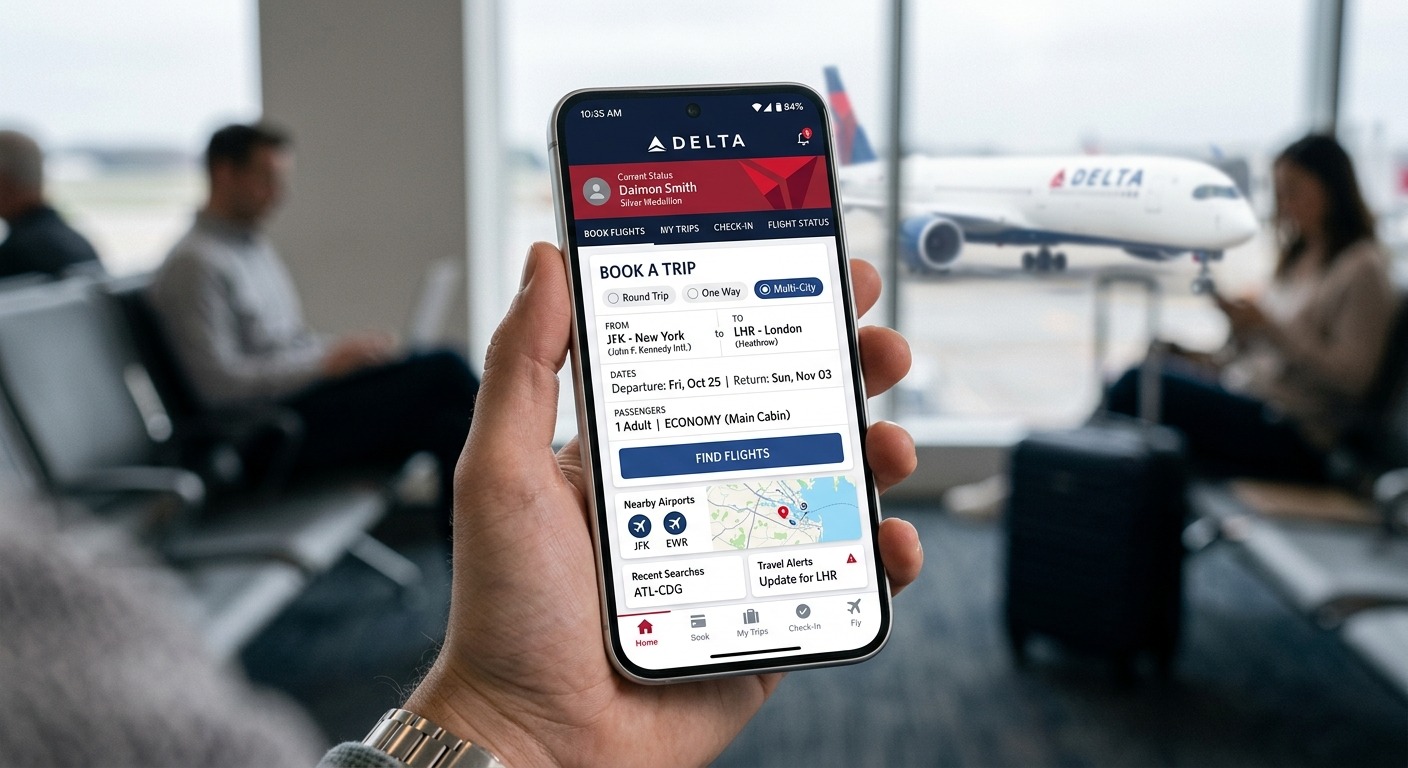
The Delta Airlines app, officially called Fly Delta, is a free mobile app used to book flights, check in, manage SkyMiles rewards, and navigate air travel from planning through landing. It’s developed by Delta Air Lines, Inc. and available on iOS, Android, and the web.
Unlike generic travel apps, Fly Delta integrates directly with Delta’s SkyMiles loyalty program and flight operations systems. That means real-time gate changes, live baggage tracking, and Medallion Status updates all run through the same app you use to book a ticket.
There’s also a second, unrelated “Delta app”: Delta by eToro, a cryptocurrency and stock portfolio tracker. It has nothing to do with air travel more on that distinction below.
What Is the Fly Delta App and What Can It Do?
The Fly Delta app is Delta’s all-in-one digital travel companion, covering trip planning, airport navigation, and in-flight support in a single platform. According to Delta’s official mobile page (delta.com, 2026), it’s designed to “ease every step of your travel journey,” from booking to baggage claim.
Planning your trip
|
Feature |
What it does |
|
Flight search & booking |
Shop and book domestic/international flights, including award tickets with SkyMiles |
|
Flex calendar |
Compare fares across dates using the companion certificate flex calendar |
|
Upgrade tracking |
Track and pay for upgrades using SkyMiles |
|
Live Chat |
Message a Delta agent directly in-app |
At the airport
- “Today” tab: your boarding pass, flight status, and gate info in one screen
- Digital boarding pass pinned to your screen (works offline)
- Live Activities (iOS) and Live Updates (select Android): boarding zone, seat, baggage carousel
- Airport Maps, passport scanning at check-in, and standby/upgrade list visibility
- Seat changes, Preferred Seat reservations, and rebooking after cancellations or missed connections
During and after the flight
- Real-time bag tracking from gate to gate
- In-flight map tracker
- Delta Sky Club locator and mobile drink vouchers
- SkyMiles Status Tracker showing Medallion Qualification Dollars (MQD) progress
How Much Does the Fly Delta App Cost?
The Fly Delta app itself is completely free to download and use on iOS and Android, and delta.com is free to access on Delta’s Wi-Fi-enabled flights. Costs only arise from optional in-app purchases like checked bags, seat upgrades, Comfort+, or Trip Extras such as in-flight Wi-Fi passes all priced at checkout, not within the app itself.
How Much Are Delta’s Baggage Fees in 2026?
Delta’s checked bag fees for U.S. domestic travel are $45 for the first bag, $55 for the second, and $200 for a third bag each way, according to Delta’s official baggage page and reporting from Yahoo Travel and SendMyBag (as of October 2026). Fees vary by route, fare class, and whether a bag is overweight or oversized.
Domestic baggage fee breakdown (each way):
|
Bag |
Fee |
|
1st checked bag |
$45 |
|
2nd checked bag |
$55 |
|
3rd–10th checked bag |
$200 each |
|
Overweight 51–70 lb |
$100 |
|
Overweight 71–<100 lb |
$200 |
|
Over 100 lb |
Not permitted |
|
Oversized 63–80 in |
$200 |
|
Over 80 in |
Not permitted |
International routes between the Americas and Europe/North Africa cost more: a third bag runs 285USD(330 CAD / €240), and oversize fees reach $300 USD. Routes to Asia keep extra-bag fees at $200.
Real-world cost scenarios:
- A family of four, each checking one domestic bag round trip, pays 4 x $45 x 2 = $360 total (before any Medallion or co-branded card exemptions).
- A single 55-lb bag domestic costs $45 + $100 overweight = $145 each way but shifting 5+ lb into a second bag instead costs $55, saving $45.
- A fourth bag at 65 inches and 75 lb domestic triggers three separate penalties $200 extra bag + $200 oversize + $200 overweight totaling $600 each way, or $1,200 round trip.
Delta charges separate fees for each limit a bag exceeds (quantity, weight, and size), applied per bag, each way. Active military members and some Medallion or co-branded cardholders may qualify for reduced or waived fees check eligibility on delta.com before booking.
Fee note: baggage pricing changes by route, fare type, and ticketing date. Confirm current charges in the app or at delta.com before you fly.
What Is Delta Concierge and What Can It Do?
Delta Concierge is an AI-powered assistant built into the Fly Delta app, now available to all SkyMiles Members as of August 2026. It checks flight status, rebooks disrupted trips, summarizes bag status, and looks up SkyMiles and MQD balances but it can only process full-itinerary cancellations, not partial changes.
Delta’s Chief Digital Officer, Eric Phillips, confirmed the feature expanded to 100% of SkyMiles Members less than a year after its beta launch (Delta News Hub, Aug 10, 2026). It remains labeled as beta, meaning functionality is still evolving. To use it, update the app and tap the Concierge icon on the home screen. SkyMiles membership is free to join if you haven’t already.
Is the Fly Delta App Compatible With My Device?
The Fly Delta app requires iOS 17.0+ or iPadOS 17.0+ for Apple devices, macOS 14.0+ on Apple M1 chips or later, and watchOS 6.0+ for Apple Watch support. Android compatibility is confirmed, though Delta has not published a specific minimum OS version for Android devices.
The app is available in English and Spanish, weighs about 464.7 MB on iOS, and supports Apple Wallet for storing boarding passes.
How Good Are the Fly Delta App’s Ratings?
The Fly Delta app holds a 4.8-star rating from over 7 million reviews on the Apple App Store, and a similar 4.8 rating from 612,000+ reviews on Google Play as of October 2026. It ranked #8 in the Travel category on Apple’s Top Free chart during that period.
Common praise centers on real-time bag tracking and day-of-travel convenience. Recurring complaints include login issues during disruptions, inconsistent seat visibility when flights are rebooked, and chat support dropping mid-conversation worth knowing if you plan to rely on the app during irregular operations.
How Do I Download and Set Up the Fly Delta App?
Setting up the Fly Delta app takes just a few minutes: download it from the App Store or Google Play, create or log into your free SkyMiles account, then link a payment method and set travel preferences.
- Download from the App Store or Google Play
- Enroll in or log into SkyMiles (free)
- Add a payment method and saved travelers
- Turn on notifications for gate changes and flight status
- Enable biometric login for faster access at the airport
Delta App vs. Delta by eToro: What’s the Difference?
Fly Delta is an airline travel app for booking and managing flights; Delta by eToro is an unrelated investment portfolio tracker for stocks, crypto, and other assets. Choose Fly Delta if you’re traveling with Delta Air Lines, and Delta by eToro if you’re tracking a financial portfolio the two share only a name.
Delta by eToro connects to brokerages, exchanges, and wallets to display holdings in one dashboard; it doesn’t execute trades or hold funds. If you searched for “Delta app” expecting investment tools, this is the one you want just make sure not to confuse it with the airline app covered above.
Frequently Asked Questions
Is the Fly Delta app free to download?
Yes, the Fly Delta app is free on iOS and Android. You only pay for optional extras like checked bags, seat upgrades, or Wi-Fi passes at checkout.
Does Delta charge for a second checked bag domestically?
Yes, the second checked bag costs $55 each way on U.S. domestic flights, according to Delta’s official baggage page (Oct 2026).
What’s the overweight baggage fee for a 60-lb bag?
A bag weighing 51–70 lb incurs a $100 overweight fee each way on domestic Delta flights, separate from the standard checked bag fee.
How does Delta Concierge handle flight cancellations?
Delta Concierge can only process full-itinerary cancellations with a refund or eCredit; it cannot currently handle partial trip changes.
Is Fly Delta compatible with Apple Watch?
Yes, Fly Delta supports watchOS 6.0 or later, showing countdown timers, gate info, and baggage carousel details on your wrist.
Are checked bag fees different for international flights to Europe?
Yes, a third checked bag from the Americas to Europe or North Africa costs $285 USD each way, compared to $200 for domestic U.S. routes.
Is in-flight Wi-Fi free on Delta flights?
Delta offers free Wi-Fi to SkyMiles Members on most U.S. flights using Viasat satellite internet, though availability should be confirmed per flight.
Can I track my checked bags in real time?
Yes, the Fly Delta app’s “Track My Bags” feature provides real-time alerts from check-in through baggage claim.
Does Basic Economy have different baggage allowances?
Basic Economy fares on routes from the U.S./Canada to Europe or North Africa carry higher first and second bag fees $60 and $100, respectively, according to third-party reporting (SendMyBag, 2026).
Is Delta by eToro the same company as Delta Air Lines?
No, Delta by eToro is an independent investment tracking app with no affiliation to Delta Air Lines; the shared name is coincidental.

Azeem breaks down airline baggage policies, fare-class benefits, and peak pricing rules into practical guidance for smooth trip planning. He verifies every fee and dimension against official airline sources so travelers can pack with confidence.