Breeze Check In: Online Steps, Fees and Boarding Pass
Breeze Airways check-in opens online 24 hours before departure through flybreeze.com or the Breeze app no Breezy Rewards account required. You’ll need your legal last name and confirmation number. Checked bags added at the airport cost $75 per bag, per flight, with overweight or oversized bags adding another $75.
Checking in for a flight shouldn’t feel like a chore. Breeze Airways built its check-in system around speed and simplicity, letting travelers skip the counter entirely if they plan ahead. But between bundle types, bag fees, and boarding pass options, there’s more to know than a quick glance at the homepage reveals.
What Is Breeze Airways Check-In?
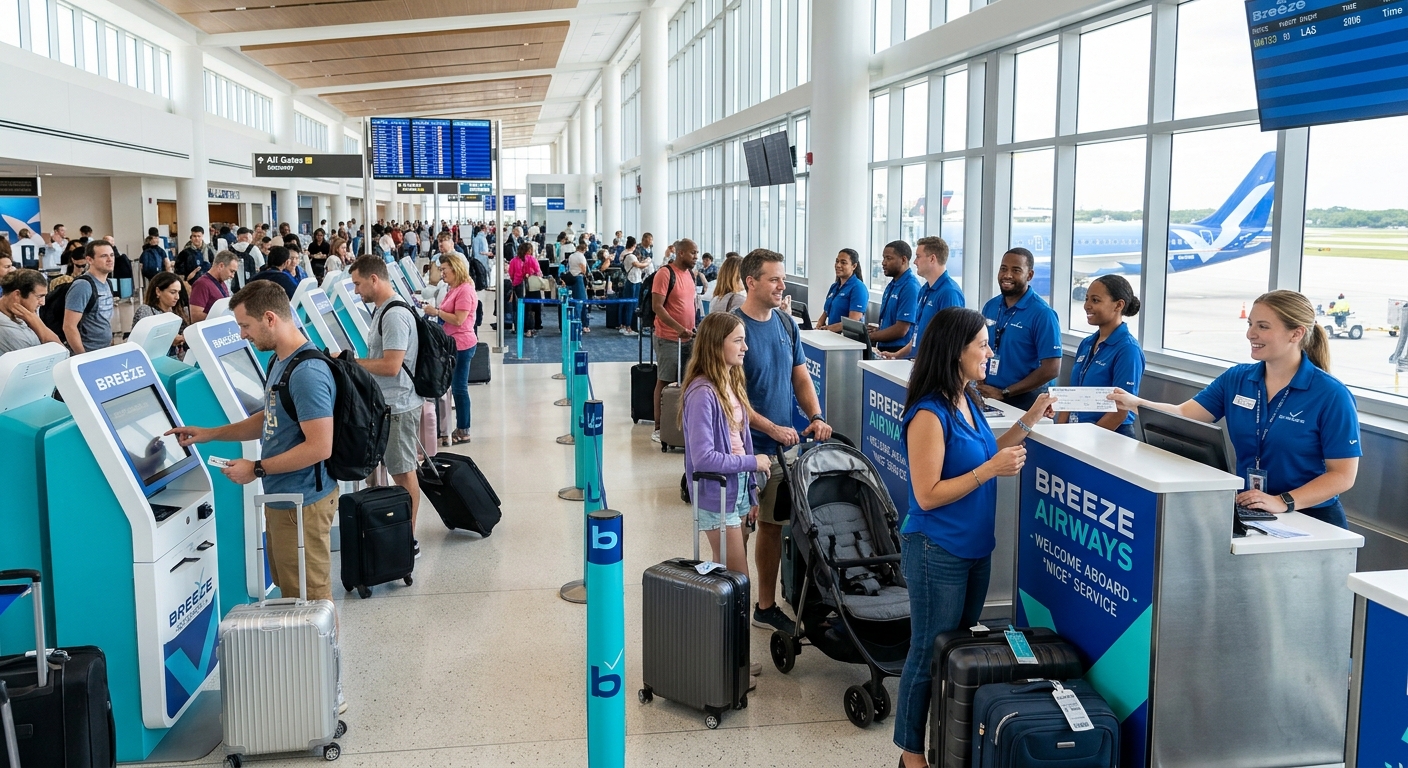
Breeze Airways check-in is the process of confirming your flight and receiving a boarding pass before departure, done either online, through the Breeze app, or at an airport kiosk. Online check-in opens 24 hours before your scheduled departure and doesn’t require a Breezy Rewards account (Breeze Airways Support).
Breeze designed its check-in flow to minimize friction. You can log into a Breezy Rewards account for a faster experience with saved details, or you can check in without an account by entering your legal last name and confirmation number at flybreeze.com/check-in/search.
|
Check-In Method |
Account Required? |
Typical Use Case |
|
Online (website) |
No |
Travelers who want speed and control over seat/bag add-ons |
|
Breeze app |
No |
Mobile boarding pass, flight alerts, contactless travel |
|
Airport kiosk |
No |
Travelers without smartphone access or needing in-person help |
According to Simple Flying’s guide to Breeze’s check-in process, the airline’s online check-in window opens 24 hours before scheduled departure (simpleflying.com). Exact cutoff times for check-in and bag drop can vary, so always confirm your specific cutoff in My Trips or through Breeze support before heading to the airport.
How Do I Check In Online with Breeze Airways?
To check in online, visit flybreeze.com/check-in/search, enter your legal last name and confirmation number (or log into Breezy Rewards), select your seat and any add-ons, then download or print your boarding pass. The same process works through the Breeze app for mobile boarding passes.
Here’s the step-by-step breakdown for check in Breeze Airways online:
- Go to the check-in page. Visit flybreeze.com/check-in/search or open the Breeze app.
- Enter your details. Use your legal last name and confirmation number, or log into your Breezy Rewards account if you have one.
- Review your booking. Confirm flight details, passenger names, and any existing add-ons.
- Select extras if needed. Add a seat upgrade, checked bag, or carry-on depending on your fare bundle.
- Access your boarding pass. Download it to your phone’s wallet, save it in the app, or print it at home.
Checking In with the Breeze App
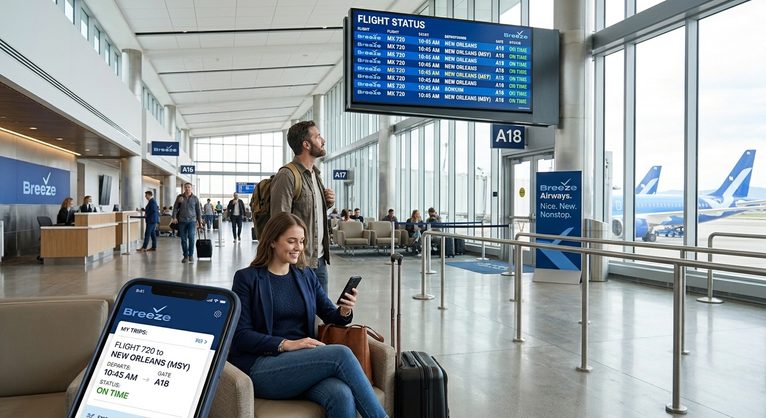
The Breeze app supports search, booking, flight management, and contactless check-in and boarding, according to Breeze’s own app description. You can track your BreezePoints, update your profile, and stay current on flight status all from your phone. The app is available for iOS and Android.
What Information Do I Need to Check In?
You’ll need your legal last name (as it appears on your government-issued ID) and your confirmation number. If you booked through Breezy Rewards, logging into your account pulls up your reservation automatically no manual entry required.
How Do I Get My Breeze Airways Check-In Boarding Pass?
After completing check-in, your Breeze Airways boarding pass becomes accessible through your Breezy Rewards account under “My Trips,” or directly in the Breeze app for mobile boarding. You can also print it at home or request a printed copy at an airport kiosk.
Breeze offers three main breeze airways check in boarding pass formats:
- Mobile boarding pass: Saved in the app or your phone’s digital wallet for contactless scanning at the gate.
- Home-printed boarding pass: Print after completing online check-in.
- Airport-printed boarding pass: Available at self-service kiosks for travelers who didn’t check in ahead of time.
If you checked in through a Breezy Rewards account, your boarding pass is accessible by selecting your reservation under My Trips (Breeze Airways Support). This makes it easy to pull up your pass again if your phone dies or you need a reprint.
How Do I Manage My Breeze Check In Flight Through My Trips?
The “My Trips” portal at flybreeze.com/my-trips lets you view reservation details, manage multiple passengers, check in, and access your boarding pass by entering your legal last name and confirmation number no account login required, though logging in saves time for repeat use.
My Trips is Breeze’s hub for managing an existing breeze check in flight. From there, you can:
- View itinerary details for one or multiple flights
- Check in and retrieve boarding passes
- See accurate, booking-specific bag pricing for your reservation
- Confirm check-in and bag drop cutoff times for your specific flight
If you’re traveling with a group, My Trips displays all passengers under a single confirmation number, so you can check everyone in together rather than repeating the process per traveler.
How Do I Check Breeze Check In Flight Status?
Breeze Airways flight status can be checked at flybreeze.com/flight-status or through the Breeze app, which provides real-time updates on departure times, gate changes, and delays. All fare rules apply if you need to change or cancel a flight, and fares are subject to change until purchased.
Monitoring your breeze check in flight status before heading to the airport helps you avoid surprises. The Breeze app sends updates directly to your phone, and the dedicated flight status page lets you search by route or confirmation number. Since Breeze notes that “easy flight updates are available through the Breeze app” (Breeze Airways Support), checking status there alongside your check-in is a practical habit before every trip.
What Are Breeze Airways Baggage Fees at Check-In?
Bags added by an Airport Team Member or Breeze’s Guest Empowerment Team cost $75 per bag, per flight. Overweight or oversized bags add another $75 on top of that. Bags over 99 pounds or 80 linear inches (length + width + height) are not accepted at all (Breeze Airways bag pricing page).
This is where competitor guides often fall short they mention bag fees exist without showing what they actually cost in real scenarios. Here’s the breakdown:
|
Scenario |
Fee |
|
Bag added online/in-app (pre-purchased) |
Varies by route and date check the quote tool or My Trips |
|
Bag added by Airport Team Member or customer service |
$75 per bag, per flight |
|
Overweight or oversized bag (on top of base fee) |
+$75 |
|
Bag over 99 lbs or 80 linear inches |
Not accepted |
Worked examples using the published $75 airport rate:
- One traveler, one bag, added at the airport, one-way: $75
- One traveler, one bag, added at the airport, round trip: $150 (two flights x $75)
- One overweight bag, added at the airport, one direction: $75 base + $75 overweight = $150
- Family of four, each with one checked bag, added at the airport, round trip: 4 travelers x 2 flights x $75 = $600
These numbers apply specifically to bags added by airport staff or the Guest Empowerment Team. If you add a bag online or in the app ahead of time, pricing varies by route and travel date and isn’t published as a flat figure you’ll see your exact rate in the quote tool or in My Trips for an existing booking. The takeaway: pre-purchasing bags almost always costs less than paying at the airport.
What Fare Bundle Affects My Check-In and Bags?
Breeze offers four fare bundles No Flex Fare, Nice, Nicer, and Nicest and your bundle determines what’s included for check-in, seating, and baggage. Nicer and Nicest include a free checked bag; No Flex Fare and Nice require purchasing bags separately (Breeze Airways bundles page).
Choose Nicer or Nicest if checked bags and extra legroom matter more than ticket price. Choose No Flex Fare or Nice if you’re traveling light and want the lowest upfront cost.
|
Bundle |
Carry-On |
Checked Bag |
Boarding |
Change/Cancel Fees |
|
No Flex Fare |
Purchase separately |
Purchase separately |
À la carte |
Fees apply |
|
Nice |
Included |
Purchase separately |
Zone 2 |
None |
|
Nicer |
Included |
1 included |
Zone 1 |
None |
|
Nicest |
Included |
2 included |
First (BreezeBy) |
None |
What Should I Do If I Have Trouble Checking In?
If you experience technical issues during check-in, try the Breeze app or website again, clear your browser cache, or switch devices. For persistent problems, contact Breeze’s Guest Empowerment Team through flybreeze.com/support, which handles check-in, boarding pass, and reservation issues directly.
Common check-in snags and how to resolve them:
- Name mismatch between booking and ID: Contact Breeze support before travel day to correct the name on file.
- No confirmation email: Use My Trips with your legal last name and confirmation number instead of searching your inbox.
- App won’t load or freezes: Try the website version at flybreeze.com as an alternative.
- Traveling internationally: International itineraries have separate check-in requirements; verify document and check-in rules on Breeze’s support page before departure (Breeze Airways Support).
- Multiple passengers, one not checking in: My Trips allows you to check in passengers individually or as a group under one confirmation number.
Why Choose Breeze Airways for Your Next Flight?
Breeze built its brand around the idea of “nice, new, and nonstop” travel connecting underserved routes with modern aircraft and straightforward pricing. A handful of advantages stand out for travelers comparing carriers:
- Transparent, à la carte pricing: You pay for what you use, from seats to bags, rather than a bundled fare that inflates the base price.
- Growing nonstop network: Breeze continues expanding U.S. domestic routes, along with select international service.
- Modern, app-first experience: Contactless check-in, mobile boarding passes, and real-time flight status updates are built into the Breeze app.
- Flexible fare tiers: From the no-frills No Flex Fare to the premium Nicest bundle with Breeze Ascent seating, there’s a tier for different travel priorities.
For travelers who value control over cost and a streamlined digital experience, Breeze’s check-in and booking tools are built to minimize hassle from booking through boarding.
Frequently Asked Questions
Does Breeze Airways check-in require a Breezy Rewards account?
No. Breeze Airways explicitly states that a Breezy Rewards account is not necessary to check in. You can check in using just your legal last name and confirmation number at flybreeze.com/check-in/search.
How much does it cost to add a checked bag at the Breeze Airways airport counter?
Bags added by an Airport Team Member cost $75 per bag, per flight. A round-trip itinerary with one bag added at the airport both ways totals $150.
What happens if my checked bag is overweight with Breeze Airways?
Overweight or oversized bags incur an additional $75 charge on top of the standard bag fee, bringing a single overweight bag added at the airport to $150. Bags exceeding 99 pounds or 80 linear inches are not accepted.
When does Breeze Airways online check-in open?
Online check-in opens 24 hours before your scheduled departure, according to Simple Flying’s reporting on Breeze’s check-in process. Confirm your exact cutoff time in My Trips before departure.
Can I check in multiple passengers at once with Breeze Airways?
Yes. My Trips displays all passengers tied to a single confirmation number, allowing you to check in a group together rather than individually.
Is a checked bag included in the Breeze Nice fare bundle?
No. The Nice bundle includes a personal item and carry-on but not a checked bag. Checked bags are included starting with the Nicer bundle.
What’s the difference between checking in online versus at a Breeze Airways kiosk?
Online and app check-in let you skip the counter, select seats, and download a mobile boarding pass ahead of time. Airport kiosks serve travelers who haven’t checked in beforehand or need in-person assistance.
Does Breeze Airways charge extra for international check-in?
International check-in has separate requirements from domestic flights. Breeze advises travelers to verify document and check-in rules specific to their international itinerary through its support page before departure.
Can I get a mobile boarding pass with Breeze Airways?
Yes. The Breeze app supports contactless check-in and boarding, letting you save your boarding pass directly to your phone or digital wallet instead of printing a paper copy.
Where can I check my Breeze Airways flight status before heading to the airport?
Flight status is available at flybreeze.com/flight-status and through the Breeze app, both offering real-time updates on departure times and any schedule changes.

Azeem breaks down airline baggage policies, fare-class benefits, and peak pricing rules into practical guidance for smooth trip planning. He verifies every fee and dimension against official airline sources so travelers can pack with confidence.