American Airlines TSA PreCheck Touchless ID: How It Works in 2026
TSA PreCheck Touchless ID lets eligible American Airlines passengers pass through dedicated security lanes using facial recognition no physical ID or boarding pass required. Available at 60+ U.S. airports as of spring 2026, the system compares a live photo to your passport on file, cutting checkpoint time to under 10 seconds. Opt-in takes about 3–5 minutes through your AAdvantage profile.
Pulling out your driver’s license, flipping open your wallet, fumbling for your boarding pass airport security has always had a friction problem. American Airlines, in partnership with the TSA, has moved to fix it. TSA PreCheck Touchless ID now lets AAdvantage members breeze through dedicated security lanes with nothing but their face.
What Is TSA PreCheck Touchless ID and What Problem Does It Solve?
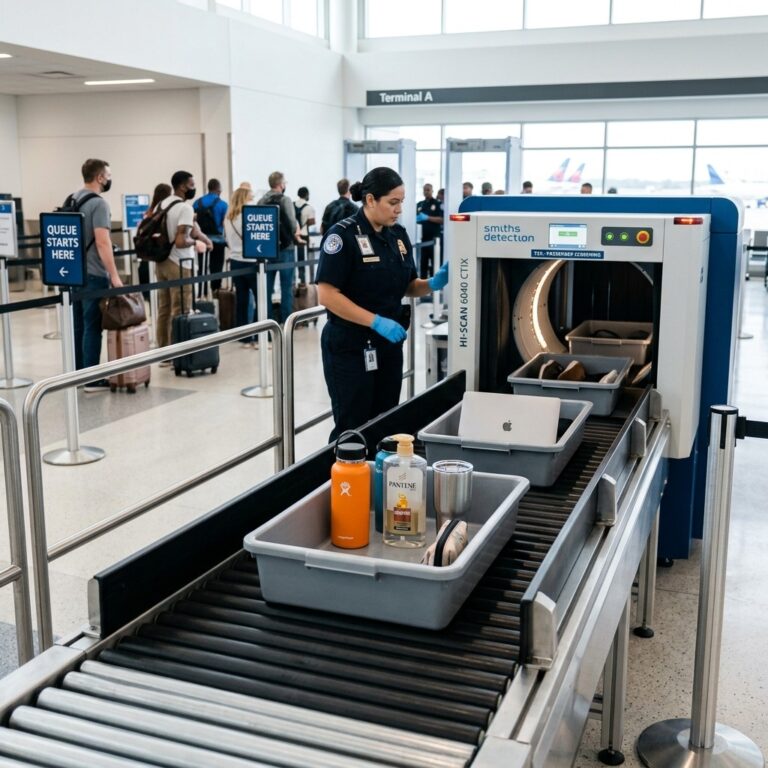
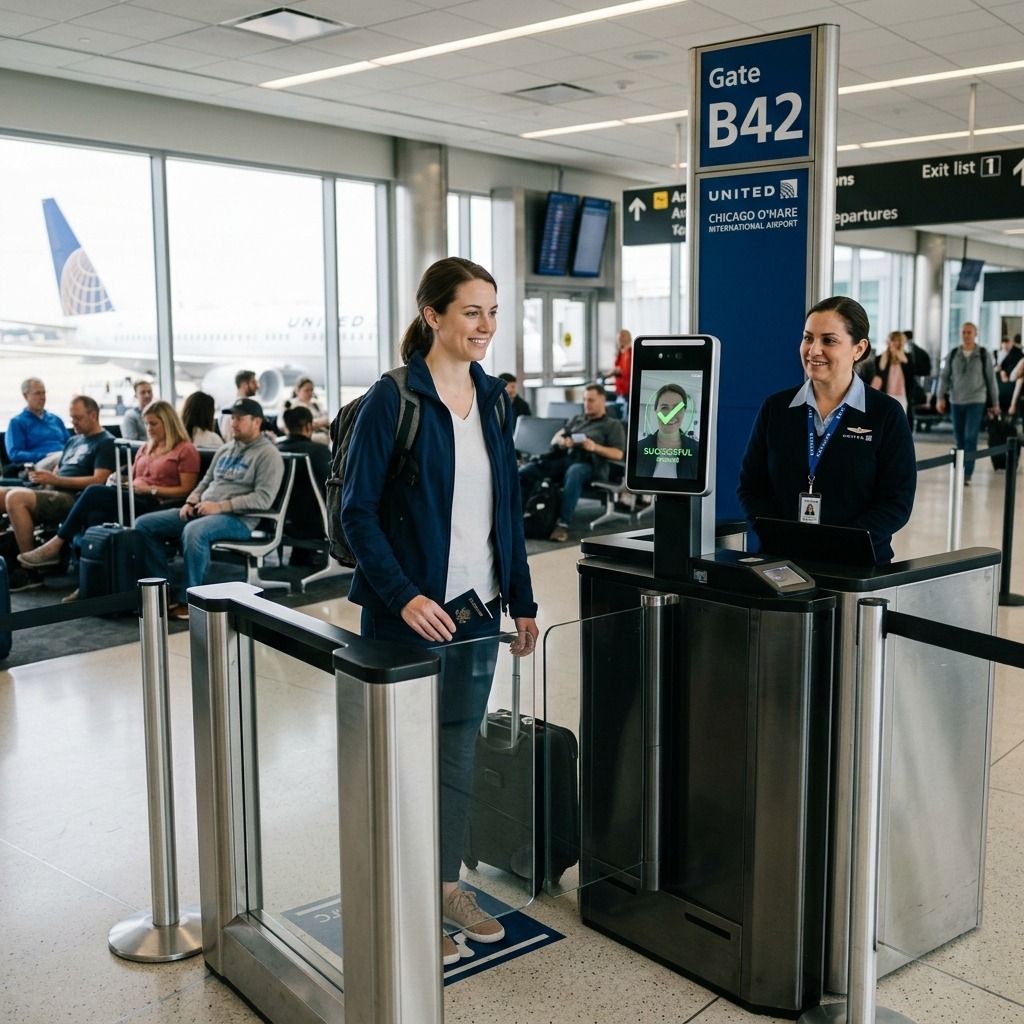
TSA PreCheck Touchless ID is a facial comparison technology program that verifies a passenger’s identity at TSA security checkpoints without requiring a physical ID or boarding pass. A camera captures your face as you approach the podium; the system then matches that image against your passport photo on file. The entire check takes under 10 seconds.
The problem it solves is real: even with TSA PreCheck, the identity verification step where an agent manually compares your face to your ID adds friction. Multiply that across thousands of daily travelers and checkpoint bottlenecks become inevitable. Touchless ID removes that bottleneck entirely for enrolled passengers.
Traditional vs. Touchless ID at a glance:
|
Step |
Traditional TSA PreCheck |
TSA PreCheck Touchless ID |
|
Show boarding pass |
Yes |
No |
|
Show physical ID |
Yes |
No |
|
Agent visual check |
Yes |
No |
|
Biometric camera scan |
No |
Yes |
|
Average time at podium |
15–30 seconds |
Under 10 seconds |
|
Backup ID required |
Required |
Still recommended |
According to The Points Guy, one frequent flyer reported saving roughly 10 minutes compared to standard PreCheck a meaningful win on a tight connection.
What Is the TSA PreCheck Touchless ID Symbol on Your Boarding Pass?
The TSA PreCheck Touchless ID symbol is a special indicator that appears on your mobile boarding pass once TSA confirms your enrollment. It signals to TSA officers that you are cleared to use the dedicated Touchless ID lane.
Without this indicator, you cannot access the Touchless ID lane even if you have an active TSA PreCheck membership and a passport on file. This is a step many passengers miss. The indicator only appears after you have completed the full opt-in process through your airline profile or Google Wallet, and only for the specific flight you checked in for. If the symbol is absent on your boarding pass, check that your KTN and passport details are saved and that you selected “Opt In” before checking in.
What to check if the indicator is missing:
- Known Traveler Number (KTN) entered in your AAdvantage profile
- Valid passport number saved to your profile
- “Opt In” selected in the TSA PreCheck Touchless ID section
- Flight checked in at least 24 hours before departure (TSA recommends this for best results)
- Confirm your departure airport is among the 60+ supported locations
How Does TSA PreCheck Touchless ID Work on American Airlines?
When flying American Airlines with Touchless ID activated, a biometric camera photographs you as you approach the TSA checkpoint podium. The TSA’s system compares that image against the passport photo linked to your AAdvantage account. If there’s a match, a green light clears you through no wallet, no scanning a boarding pass.
The lanes are marked by blue-and-green signage at participating airports. American Airlines passengers using the feature report the experience as noticeably faster than standard PreCheck, often the quickest option in the checkpoint area even faster than CLEAR in many cases.
If the system cannot match your biometrics due to a dramatically different appearance from your passport photo, a camera issue, or a system glitch a TSA officer will manually verify your identity using standard procedures. You will not lose your place in line, and you will not be denied boarding. This is why TSA still recommends carrying a REAL ID-compliant physical ID as a backup.
How Do I Get a Touchless ID for TSA PreCheck? Step-by-Step Enrollment
To get TSA PreCheck Touchless ID, you need an active TSA PreCheck membership, a valid U.S. passport, and an account with a participating airline. Enrollment takes 3–5 minutes through your airline’s app or website.
Enrollment via American Airlines (AAdvantage):
- Log in to aa.com or open the American Airlines app
- Go to your AAdvantage profile and find Security Information
- Enter your Known Traveler Number (KTN)
- Enter your valid passport number and country
- Select “Opt In” for TSA PreCheck Touchless ID
- Check in for your flight and confirm the Touchless ID indicator appears on your mobile boarding pass
Enrollment via Google Wallet (new pathway competitors miss this):
- Add a Google ID pass (backed by a U.S. passport) to Google Wallet
- Check in for your flight and save your boarding pass to Google Wallet
- Look for the “Get started” button on your boarding pass
- Agree to share your Google ID pass and boarding pass with TSA
- Confirm the Touchless ID indicator appears on your Google Wallet boarding pass
The Google Wallet pathway is notable because it does not require an airline frequent flyer membership making it accessible to passengers who don’t hold AAdvantage status but use Google Wallet for boarding passes.
Eligibility checklist:
|
Requirement |
Details |
|
TSA PreCheck membership |
Active membership required ($85 new / $70 online renewal) |
|
Valid passport |
Must be uploaded to airline profile |
|
Participating airline |
American, Alaska, Delta, Southwest, United, Hawaiian |
|
Opt-in confirmed |
Done through airline profile or Google Wallet |
|
Touchless ID indicator |
Must appear on mobile boarding pass |
Where Is the TSA PreCheck Touchless ID on the American Airlines App?
The TSA PreCheck Touchless ID opt-in is located in the Security Information section of your AAdvantage profile within the American Airlines app. To access it: open the app tap your profile icon select “Security information” add your KTN and passport details select “Opt In.”
Some passengers also encounter the opt-in prompt during the check-in flow. If you check in through the app and your profile already has your passport and KTN saved, the app may prompt you directly to activate Touchless ID for that specific flight. Either path works the key output is the same: the Touchless ID indicator on your boarding pass.
What Airports Have TSA PreCheck Touchless ID for American Airlines?
TSA PreCheck Touchless ID is currently available at 65 U.S. airports, with American Airlines participating at the vast majority of them. The program expanded from 15 to 65 airports in spring 2026 a 433% increase prioritizing major hubs and 2026 FIFA World Cup host cities.
American Airlines’ key Touchless ID airports:
|
Region |
Airports |
|
Texas |
DFW, IAH, HOU, SAT |
|
East Coast |
JFK, LGA, EWR, BOS, MIA, PHL, DCA, IAD |
|
Midwest |
ORD, DTW, MSP, STL, MCI, CVG, CLE |
|
West Coast |
LAX, SFO, SEA, SAN, SJC, PDX, SMF |
|
Southeast |
ATL, CLT, MCO, TPA, FLL, BNA, RDU |
|
Mountain/Southwest |
DEN, PHX, LAS, SLC, ABQ |
|
International U.S. |
SJU, HNL, ANC |
Note: American Airlines does not participate at Dallas Love Field (DAL), Oakland (OAK), or Indianapolis (IND) terminals at those airports don’t support the program for American. Always verify availability through aa.com before your trip, as terminal-specific limitations apply.
Which Airlines Have TSA PreCheck Touchless ID?
Six airlines currently participate in TSA PreCheck Touchless ID: American Airlines, Alaska Airlines, Delta Air Lines, Southwest Airlines, United Airlines, and Hawaiian Airlines. JetBlue, Spirit, Frontier, and Allegiant are not participating as of mid-2026.
Participation is airline-specific and airport-specific. Even at a 65-airport hub, if your carrier doesn’t support Touchless ID at that particular terminal, the dedicated lanes won’t be accessible to you. At Raleigh-Durham (RDU), for example, American, Delta, and United offer Touchless ID in Terminal 2 but Alaska and Southwest do not, because their terminal lacks the technology infrastructure.
Why Didn’t I Get TSA PreCheck Touchless?
If the Touchless ID indicator did not appear on your boarding pass, one of six issues is typically responsible: your KTN isn’t saved to your profile, your passport hasn’t been uploaded, you didn’t select “Opt In,” your departure airport isn’t supported, your airline doesn’t participate at that terminal, or you checked in fewer than 24 hours before departure.
Common reasons the indicator doesn’t appear and fixes:
- KTN missing from profile Add it under Security Information in the app before check-in
- No passport saved Upload your passport number and country to your AAdvantage profile
- Didn’t opt in Must explicitly select “Opt In” passport + KTN alone aren’t enough
- Airport not supported Check the current airport list at tsa.gov/touchless-id
- Terminal mismatch Your carrier may not have the technology in their terminal at that airport
- Checked in late TSA recommends checking in and confirming the indicator at least 24 hours before departure; last-minute check-ins may not process in time
If the biometric scan fails at the checkpoint itself due to significant appearance changes since your passport photo was taken (new facial hair, glasses, hair length, weight change, or an aging passport photo) the officer defaults to standard manual ID verification. No delay to other passengers, no penalty to you.
Do You Still Need CLEAR If You Have TSA PreCheck Touchless ID?
CLEAR and TSA PreCheck Touchless ID serve different functions. CLEAR (a private service at $189/year) lets you skip the ID document queue entirely and go directly to the physical screening conveyor. TSA PreCheck Touchless ID replaces the biometric podium check within the PreCheck lane. The two can be stacked, but neither requires the other.
CLEAR vs. TSA PreCheck Touchless ID:
|
Feature |
CLEAR ($189/yr) |
TSA PreCheck Touchless ID (free add-on) |
|
Skips document check line |
Yes |
No joins dedicated Touchless lane |
|
Uses biometrics |
Yes (iris/fingerprint) |
Yes (facial comparison) |
|
Requires TSA PreCheck |
No |
Yes |
|
Requires passport |
No |
Yes |
|
Private company |
Yes |
No (TSA-run) |
|
Data retention |
Per CLEAR policy |
Deleted within 24 hrs of departure |
|
Available airports |
60+ |
65 |
When CLEAR adds value over Touchless ID: During peak travel periods, the Touchless ID lanes can still experience congestion. CLEAR’s dedicated entry points can move you past the entire queue faster. For the highest-frequency travelers at major hubs, the combination of CLEAR + TSA PreCheck + Touchless ID represents the fastest possible path through security.
If you’re choosing one: Touchless ID costs nothing extra if you have PreCheck. CLEAR costs $189/year and requires no PreCheck. Choose CLEAR if you want to skip the ID queue regardless of PreCheck status; choose Touchless ID if you already have PreCheck and want a free speed upgrade.
Which Credit Cards Cover the TSA PreCheck Enrollment Fee?
TSA PreCheck costs $85 for a new 5-year enrollment and $70 for online renewal. Global Entry, which includes TSA PreCheck plus expedited customs, costs $120 for 5 years. Multiple premium travel credit cards reimburse one or both fees.
Cards that cover TSA PreCheck or Global Entry:
- American Express Platinum Card Up to $85 credit every 4.5 years (TSA PreCheck) or $120 for Global Entry
- Chase Sapphire Reserve Up to $100 credit every 4 years (Global Entry or TSA PreCheck)
- Capital One Venture X Up to $100 credit every 4 years
- Bank of America Premium Rewards Up to $85 statement credit every 5 years
- Citi Prestige Up to $85 credit (confirm current terms at time of application)
Cost reality check: At $85 for 5 years, TSA PreCheck works out to $17/year less than a checked bag on most domestic routes. With a qualifying credit card, it’s free. The Touchless ID feature itself adds no additional cost on top of standard PreCheck membership.
What Are the Privacy Concerns Around TSA PreCheck Touchless ID?
TSA PreCheck Touchless ID uses facial comparison technology, meaning a live image of your face is matched against your passport photo at the checkpoint. The TSA states that images are deleted within 24 hours of your scheduled departure time and are not used for law enforcement, surveillance, or shared with other government agencies.
Independent privacy advocates and civil liberties organizations have raised several concerns:
- Biometric database scale The program affects 40+ million TSA PreCheck members
- Accuracy equity External research has found facial recognition can have higher error rates for people of color, elderly travelers, and those with facial differences
- Data deletion verification Watchdog groups note that third-party verification of deletion protocols is limited
- Mission creep The ACLU and others have argued that voluntary opt-in programs historically expand over time
The TSA’s position, per official documentation at tsa.gov, is that the system undergoes rigorous accuracy testing across demographics, adheres to DHS Privacy Impact Assessment standards, and that travelers retain the legal right to opt out at any checkpoint and request standard manual verification without penalty or delay.
If you opt out at the checkpoint, TSA officers cannot deny you boarding or penalize you for choosing standard ID verification.
When Will TSA PreCheck Touchless ID Roll Out to More Airlines?
The program already covers six airlines as of mid-2026: American Airlines, Alaska Airlines, Delta Air Lines, Southwest Airlines, United Airlines, and Hawaiian Airlines. Low-cost carriers including JetBlue, Spirit, Frontier, and Allegiant have not joined yet.
Industry reporting suggests expansion to additional carriers is likely but no public timeline has been announced. The TSA’s aggressive airport-level rollout (from 15 to 65 airports between early 2025 and spring 2026) signals institutional commitment to the program. Passengers flying non-participating carriers should plan for standard PreCheck processing until their airline opts in.
Frequently Asked Questions
Does TSA PreCheck Touchless ID work at every airport American Airlines serves?
No. American Airlines supports Touchless ID at most of the 65 enrolled airports but not all. Dallas Love Field (DAL), Oakland (OAK), and Indianapolis (IND) are examples where American doesn’t participate due to terminal limitations. Check aa.com or tsa.gov/touchless-id before your trip.
Can I opt in at the airport on the day of my flight?
Yes, but TSA recommends completing enrollment at least 24 hours before departure. Last-minute opt-ins may not process before your boarding pass is generated, meaning the Touchless ID indicator won’t appear.
Do I need to opt in separately for each airline I fly?
Yes. Opt-in is airline-specific. Enrolling through your AAdvantage profile only activates Touchless ID for American Airlines flights. You must repeat the process for each participating carrier’s frequent flyer profile.
What happens if the facial recognition scan fails at the checkpoint?
A TSA officer steps in and performs a standard manual ID check. You present your physical ID and boarding pass. You do not lose your place in line and the delay is typically 30–45 seconds.
Is a driver’s license sufficient to opt in to TSA PreCheck Touchless ID?
No. A valid U.S. passport is required. The system compares your live image to your passport photo driver’s license photos are not accepted in the enrollment process.
Can I use TSA PreCheck Touchless ID if I have Global Entry instead of standalone PreCheck?
Yes. Global Entry membership includes TSA PreCheck access, making you fully eligible for Touchless ID. Enter your PASS ID (Global Entry number) in place of a KTN in your airline profile.
Does TSA PreCheck Touchless ID work for international departures?
The program applies to TSA domestic security checkpoints. International departure procedures, including CBP and customs processes, are separate and not covered by TSA Touchless ID.
What if my appearance has changed significantly since my passport photo?
Significant changes new or removed facial hair, glasses, dramatic weight change, or a passport photo that’s close to the 10-year expiration can reduce match accuracy. Update your passport photo every 3–4 years if you plan to use Touchless ID regularly.
Is there an age requirement for TSA PreCheck Touchless ID?
Children 17 and under can use TSA PreCheck lanes with an enrolled adult at no additional cost, but TSA PreCheck Touchless ID enrollment specifically requires a valid passport and active TSA PreCheck membership requirements tied to adult travelers.
Can I opt out of Touchless ID at the checkpoint without losing my PreCheck status or boarding privileges?
Yes. Opting out at the checkpoint is your legal right. Tell the TSA officer you prefer standard ID verification, and you will be directed to a regular PreCheck lane with no penalty, no change to your membership, and no impact on your flight.

Muhammad Naeem is a travel researcher with 5+ years of experience analyzing airline rules and global travel regulations. He specializes in simplifying complex airline policies to help travelers avoid extra fees and fly with confidence. His work focuses on accuracy, clarity, and up to date information across international carriers.